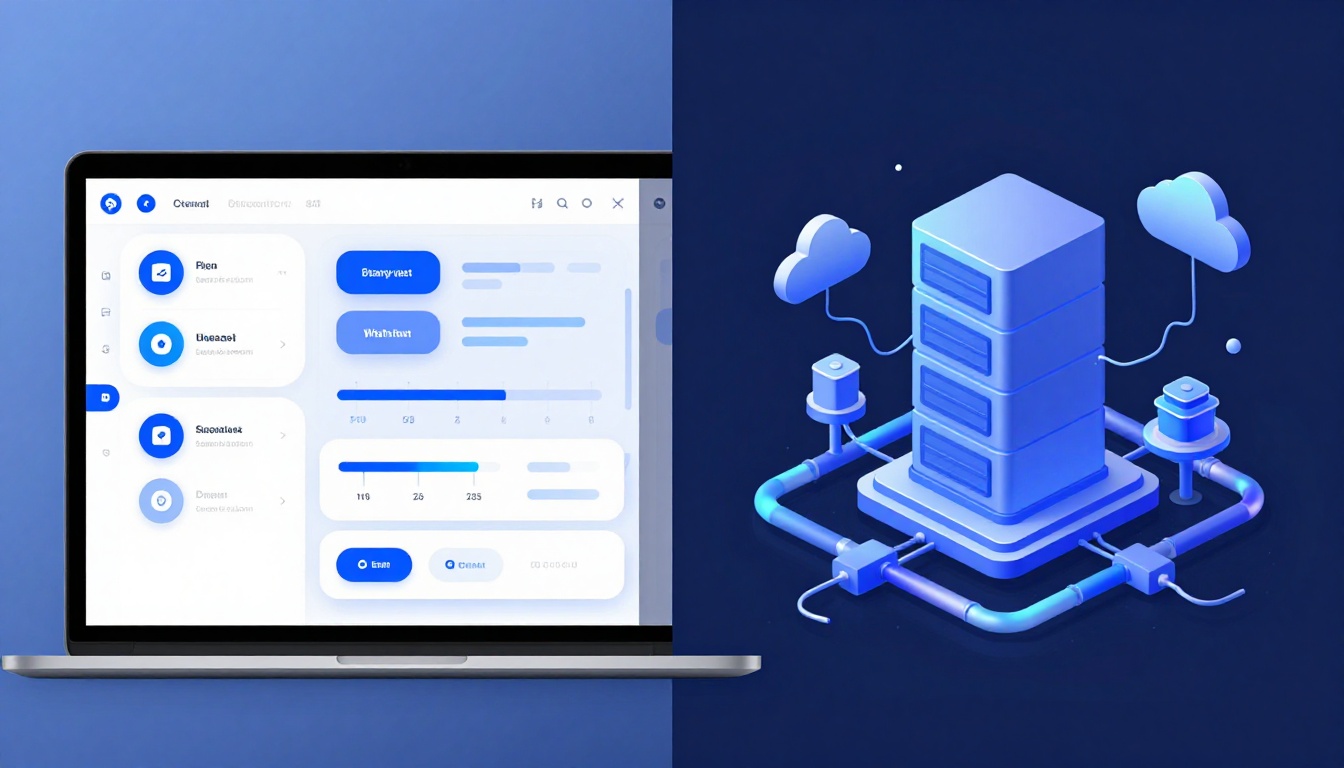
Ever click a button and nothing happens for a few seconds? That lag usually isn’t “your internet.” It’s the app waiting on the wrong part of the build.
Frontend is the part you interact with. It runs in the browser (or a mobile app). Backend is what processes requests and returns data. Users never see it directly.
Both sides matter, because one builds the experience and the other makes it work. If you understand the difference, you can design better products, avoid project miscommunication, and pick a career path with confidence.
Let’s break down what each role does, what tools they use, and how they connect in real apps.
Frontend Development: Crafting the Faces Users Love
Frontend development is everything the user sees and touches. It’s the UI layout, the buttons, the forms, the animations, and the pages that feel smooth.
In practice, frontend devs work on client-side code that runs on your device. They turn designs into real screens. They also handle basic checks before sending data anywhere else. For a clearer comparison of roles and skills, this guide from Riseup Labs’ front-end vs back-end comparison is a solid reference as you learn.
Here’s a simple mental picture. Frontend is the friendly waiter. It brings you the menu and takes your order. Backend is the kitchen. It cooks the food. Your taste depends on both.
A typical shopping cart shows the idea fast. When you tap “Add to cart,” the UI updates right away. Often, it also starts an API call to confirm the item is valid. Then the backend returns updated totals.
Frontend work usually includes these core jobs:
- Layouts and components (headers, product cards, checkout views)
- Interactive forms (input, dropdowns, validation)
- Responsive design (phones and desktops)
- Speed and smoothness (fast loads, fast clicks)
In 2026, frontend work also leans hard into accessibility and performance. Many teams use AI helpers to speed up UI work. They also use tools to catch accessibility issues early. Speed is a constant focus, so UIs aim to render quickly and avoid janky scrolling.

Daily Tasks That Make Sites Feel Alive
Frontend dev work isn’t only “build the page.” It’s also make it feel good.
A daily routine often includes:
- Coding UI elements (buttons, modals, navigation)
- Testing layouts on different screen sizes
- Debugging browser quirks (Safari can be stubborn)
- Measuring load time and reducing heavy assets
- Fixing issues users report from real devices
Responsive design is where frontend shines. For example, a mobile-first layout starts by stacking content. Then it grows into multiple columns on larger screens. This keeps the experience readable, even on small screens.
User experience wins are usually small but noticeable. Smooth scrolling feels better. Clear focus states help keyboard users. Fast form feedback keeps people from guessing.
Top Tools and Frameworks Powering Modern Frontends
Frontend usually starts with the trio:
- HTML for structure (the page’s skeleton)
- CSS for styles (fonts, spacing, layout)
- JavaScript for actions (events, dynamic content)
Modern apps also use frameworks to organize UI logic. In 2026, popular choices include React, Angular, Vue, Svelte, and fast meta-framework options like Next.js.
React stays common because it fits large teams. Svelte often appeals when you want lighter UIs. Angular can be strong for enterprise setups where structure matters.
You’ll also see frameworks that blend server and client work. For example, Next.js can render pages on the server for faster first loads. At the same time, it keeps interactivity in the browser.
Tooling matters too. Many devs live in VS Code. They also use browser dev tools to inspect elements, debug network calls, and profile performance.
If you want a quick way to compare framework options, check Roadmap.sh’s frontend frameworks list. It’s helpful for seeing what people commonly use in each era.
Finally, AI-assisted coding keeps showing up. It helps with component patterns, refactors, and accessibility checks. Still, the frontend dev remains responsible for testing and quality.
Backend Development: The Engine Running Behind the Scenes
Backend development powers what happens after the UI sends a request. It’s server-side logic that handles data, rules, and security.
Instead of building screens, backend devs build systems that respond to events. When a user logs in, uploads a file, or loads a feed, the backend does the heavy lifting.
Backend responsibilities often include:
- Building APIs (endpoints that return data)
- Managing databases (like MySQL, PostgreSQL, or MongoDB)
- Authentication (logins, sessions, tokens)
- Authorization (what a user can access)
- Security against common attacks
- Scaling when traffic spikes
A login flow makes the split clear. The frontend collects email and password. The backend verifies them. Then it sends back a session status and the user profile.
For a practical “plain language” breakdown, ZTABS’ frontend vs backend explainer helps if you’re explaining roles to a non-technical teammate.
In 2026, backend teams also care about encryption, cloud cost, and reliability. They often aim for fast response times and safe data handling. Many teams also integrate AI services for smarter features, like better search or automated moderation.

Core Responsibilities Keeping Apps Secure and Fast
Backend work lives behind the scenes, but users feel it instantly. When the backend is slow, pages stall. When the backend is unsafe, user data can get exposed.
Core tasks usually include:
- Handling requests from clients (HTTP methods like GET and POST)
- Running server logic (business rules)
- Reading and writing database records
- Managing errors and retries
- Logging and monitoring for issues
- Protecting endpoints with auth and permissions checks
Security is the big one. Frontend checks can help with user experience. They can’t be trusted for safety. A user can change code or bypass UI checks. So the backend must validate inputs and enforce rules.
Example: payments. The frontend can show a “success” screen only after the backend confirms the payment. It also records the transaction server-side. That way, the UI can’t lie.
Essential Backend Languages and Frameworks
Backend development uses multiple languages, depending on team skills and project needs.
Common choices include:
- JavaScript with Node.js for API servers
- Python for frameworks that feel fast to build
- Java, PHP, Ruby, and C# for many production systems
Frameworks help you build clean APIs faster. Examples include Express (Node.js), Django (Python), Laravel (PHP), and Spring (Java). Many teams also use async patterns for better performance under load.
Databases and caching tools matter too. A backend that queries a database for every request can feel slow. That’s why caching layers show up, like Redis. Background jobs also help. They let slow tasks run without blocking the user request.
One more trend: the rise of “full-stack overlap.” More developers can build both sides, at least for smaller projects. Yet the best teams still separate concerns. UI decisions and security decisions shouldn’t get mixed up.
Frontend vs Backend: Your Side-by-Side Cheat Sheet
A fast way to remember the difference is to ask: who does the user talk to first?
The user talks to the frontend. The frontend talks to the backend. The backend talks to databases and services.
Here’s a quick cheat sheet:
| Area | Frontend Development | Backend Development |
|---|---|---|
| Visibility | User-facing screens and interactions | Hidden server logic |
| Main focus | UI clarity, speed, responsiveness | Data rules, security, processing |
| Where it runs | Browser or mobile app | Server or cloud runtime |
| Typical tools | HTML, CSS, JavaScript, React, Vue | Node.js, Python, Java, Express, Django |
| Common bottlenecks | Render speed, bundle size | Query speed, scaling, reliability |
| How it communicates | Calls APIs via requests | Sends responses like JSON |
The key takeaway is simple: you can’t treat them as separate worlds. They only work together.
Frontend shapes the experience. Backend protects the data and makes the logic real.
Where They Overlap and Clash in Real Projects
Frontend and backend overlap in surprising ways. JavaScript appears on both sides. APIs connect them. TypeScript helps teams share types and reduce mistakes.
Still, they clash in common ways. A frontend dev might want “instant” feedback. A backend dev might need strict validation and safe checks. Those goals can fight unless you design the flow together.
A form submit is the perfect example:
- Frontend validates input for better UX
- Frontend sends the request to an API
- Backend validates again for security
- Backend returns a result
- Frontend updates the UI based on that result
In the end, both sides need to agree on what “success” means and how errors get handled.
How Frontend and Backend Team Up Via APIs
Think of an API as the message system between frontend and backend. The frontend sends a request. The backend reads it, runs logic, and sends back a response.
The flow usually looks like this:
- You click a button.
- The frontend makes an API call (often to a REST endpoint).
- The backend verifies and processes the request.
- The backend queries the database if needed.
- The backend returns data, often as JSON.
- The frontend updates the screen.
This is why sync matters. If the frontend assumes the backend returns certain fields, the UI can break. Meanwhile, if the backend returns slow or inconsistent data, the UI feels broken.
Caching also helps. For example, a social app feed might cache recent items. Then the UI loads faster on refresh. Concurrency also matters. Backend systems must handle multiple requests at once, without mixing up user data.

When these pieces work together, users see smooth updates. When they don’t, you get blank screens, stuck spinners, or errors that vanish on refresh.
2026 Trends Reshaping Frontend and Backend Worlds
In March 2026, both areas are moving faster, partly because AI tools are now common.
Frontend trends:
- AI-first development for code help, bug fixes, and accessibility checks
- Next-gen frameworks that improve load time
- TypeScript everywhere, for safer client-server apps
- Accessibility boosts as a default expectation
- Server-side rendering and smarter hydration for faster first views
Backend trends:
- More AI integration for automation and smarter services
- Serverless setups for scaling without manual server management
- Cloud-native patterns with containers and better monitoring
- Stronger automation via DevOps and platform engineering
- Security stays front and center, including encryption and safe data handling
For developers, the practical result is clear. Employers want people who understand both layers. They still hire specialized roles, but they expect teams to communicate well.
If you’re aiming for a career choice, ask yourself what you enjoy more:
- Do you like shaping UI and responding to user behavior?
- Or do you like designing APIs, data flows, and safety?
You can also choose a path that supports both. Many teams value “full-stack capable” devs for smaller products and startups.

Conclusion
Frontend and backend development aren’t rivals. They’re partners, and users feel the teamwork instantly.
Frontend builds the interface people touch, so it focuses on layout, interaction, speed, and accessibility. Backend runs the logic that protects data and returns the right results, so it focuses on security, APIs, databases, and scaling. Then APIs connect both sides, turning a click into real work.
So what should you pick? If you want creative UI work, start with frontend. If you like logic and systems, start with backend. If you want the widest toolset, lean into full-stack and learn how requests flow end to end.
Want a low-risk way to try? Build a tiny UI in CodePen or try a Node.js API. Then watch the same button click trigger backend logic. Once you see that loop, the difference stops being confusing. It becomes motivating.